Boost Online Engagement: Create User-Friendly Websites.

Harness the Power of Understanding: The Art of Building a Website that Works.

Imagine stepping into an architectural firm and they start building your house right away. No blueprints, no understanding of your needs or desires – just bricks and cement. It’s unthinkable, isn’t it? The same applies to your website. The process of building a website requires thoughtful planning and precise execution. It’s more than just slapping text on a digital page and hitting ‘publish’. It involves understanding your brand, knowing your users, curating content, and designing an experience. Today, we’re going to walk through the steps of this process, so you can understand how your business could benefit from such an approach.

Step 1: Unearthing Your Brand’s ‘Why’

We begin by diving into the soul of your brand. What’s your mission? Your vision? What drives your brand? It’s more than just logo usage and font selection; it’s the essence of your identity, your unique selling point. Understanding your brand is the foundation upon which we build your website.

Step 2: Knowing Your Users

Who are your users? What brings them to your website? Are they looking to place an order or request a quote? Understanding user intent forms the backbone of website design. We delve into your user demographics to construct a website that meets their needs and aligns with your goals.

Step 3: Conducting a Content Audit

What content do you have, and what content do you need? This step involves assessing your existing content, identifying what’s missing, and planning future content. It’s like taking stock of the ingredients before cooking a meal – we need to know what we have and what we need to buy.

Step 4: Mapping User Journeys

Now that we understand your brand, your users, and your content, it’s time to connect the dots. How will users navigate your website to achieve their goals? We map out the user journeys, ensuring a seamless experience that drives conversions.

Step 5: From Wireframe to Prototype

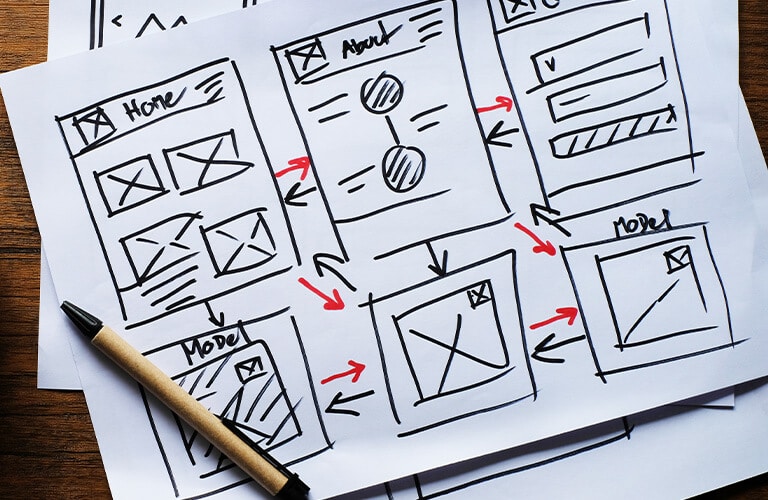
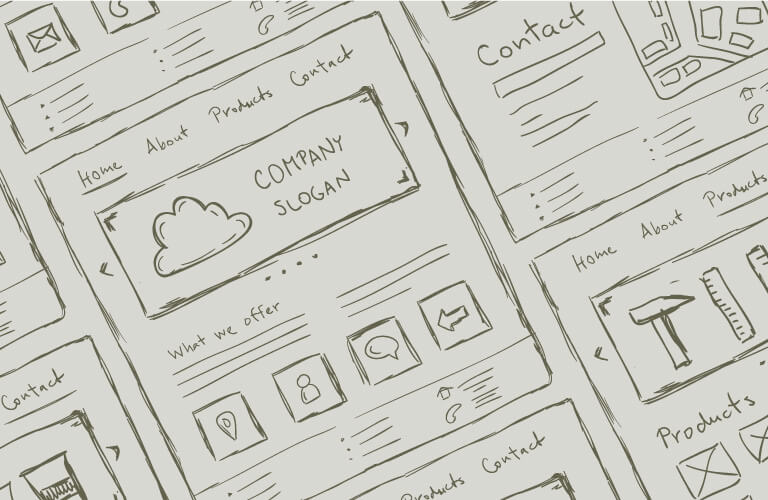
Next, we create a low-fidelity wireframe, a rough sketch of how users will navigate your website. Upon approval, this transforms into a high-fidelity design prototype, which showcases the home page, menu structure, and key pages. It’s like a sneak peek into the future of your website.

Step 6: Refinement and Approval

After the initial design concept is presented, it’s time for refinement. We take your feedback onboard and make amendments to ensure the design is in alignment with your vision. Once the design concept is approved, we move onto the exciting part – development!

Step 7: Development and Design

The approved design transitions into development, where we create a library of reusable components. These pieces are used to build out your page templates. As the development progresses, we continue designing any remaining elements in parallel.

Step 8: Testing and Content Loading

Once the templates are ready, the first round of testing begins. We ensure every element works perfectly before proceeding to the content loading stage. Another round of testing follows, leading to the ultimate step: presenting the website to you for user acceptance testing.

Step 9: The Grand Finale: Going Live

Our comprehensive go-live process includes setting up Analytics, Search Console, submitting a sitemap to Google, and setting 301 redirects from your previous site URLs. It’s the final step in the dance, where all our hard work comes together to form a website that not only looks good but works great.

Building a website is like crafting a masterpiece – every stroke, every detail, every decision matters. It’s a process that intertwines your brand essence, user needs, and content strategy into a digital experience that shines. Ready to start?

Contact Form - Email Marketing. Effective or outdated?
Subscribe to newsletter

Leverage Design Thinking to Create Your Business Website.

Design thinking – it’s not just a trend.

It’s a strategic, problem-solving tool that fuels our work, enabling us to create business websites that resonate with customers and meet your strategic objectives.

Here in New Zealand, we’re using design thinking to turbocharge your online presence and business performance.

Empathise, Empathise, Empathise.

Our journey begins with empathy. This means understanding the distinct needs of your end-users, but also recognising your unique business objectives — be it amplifying your brand, driving sales, or enhancing customer engagement. We dig deep, conducting rigorous research and user interviews to ensure your website isn’t just a digital showroom but a strategic asset that propels your business forward.

New ideas.

Parallel solutions come to life with design thinking. We’re not limiting ourselves to one avenue of design. Instead, we’re designing for different user needs and experiences. The result? A website that offers multi-tasking capabilities and caters to a wider audience, effectively expanding your business reach.

Let’s consider the case of PeterFell. This innovative company transforms ordinary concrete into extraordinary spaces with their coloured oxides. Their website needed to mirror this level of awe and inspiration. Using design thinking, we built an interactive design tool that guides users through five key steps to create their desired space with coloured concrete. The results were not only beautiful but also helped the customer envision their own space, increasing engagement and boosting product interest.

This process is a dialogue, a back-and-forth conversation that includes your business insights, user feedback, and our design expertise. It’s an ongoing collaboration with you, ensuring your vision and goals are always at the forefront of our designs.

Customer centred design.

Design thinking fosters a customer-centric mindset, with your users as our compass. We focus on how they navigate through the site, interact with your brand, and what they want to derive from the experience. More than just a functional, visually pleasing site, we design a user-centric experience that delivers value to your customers and your business.

As we navigate the creation process using design thinking, we’re fully in the present moment, but with an eye to the future. We’re not merely aiming for what works now, but also for what will sustain. Constant testing, iteration, and refining — this approach keeps your website competitive and relevant, keeping pace with evolving trends and technologies.

Our work with PeterFell illustrates the power of design thinking. By understanding their unique needs and objectives, we created a website that not only ranks well on search engines but also offers an immersive, user-friendly experience. The result? A website that truly mirrors the PeterFell brand and drives its business objectives.

Design thinking.

Design thinking for business website creation — it’s about empathy, exploration, conversation, customer-centricity, and being present. By harnessing these principles, we’re not merely building websites — we’re creating exceptional user experiences that bolster your brand and drive business success.

Unleash the power of design thinking on your website.

Ready to experience the transformative power of design thinking in your website creation? The time is now. Every moment makes a difference in your online presence. Get in touch and let’s start creating your success story today.

Contact Form - Email Marketing. Effective or outdated?
Subscribe to newsletter

Unleashing Business Growth with Smart Web Design.

We live in a digital era, with business practices reshaped by the advent of the internet.

In this dynamic environment, web design has grown from a nicety to a necessity. For bustling regions like Auckland, where small local businesses vie for the spotlight, a smartly designed website can be the catapult to long-term growth.

Smart Web Design: More than Meets the Eye.

Good web design isn’t just about a catchy aesthetic. It integrates aspects of user experience, mobile compatibility, loading speed, and search engine optimisation (SEO). It’s about creating a digital hub where user needs and business objectives meet – a perfect cocktail of functionality and aesthetics.

User Experience: The Pulse of Smart Design.

A website is often a customer’s initial touchpoint with your business. So, why not make it a memorable one? Features like intuitive navigation, clear calls-to-action (CTAs), and readily available contact information can enhance user experience, fueling higher conversions.

Mobile Compatibility: The New Normal.

Over half of the global web traffic originates from mobile phones. In this context, a mobile-friendly website isn’t an optional extra; it’s the bare minimum. A mobile-unfriendly website is a deal-breaker, scaring off potential customers and chipping away at your bottom line.

Website Speed: The Spark of Engagement.

We live in a world of immediacy. A lagging website is a let-down. It triggers higher bounce rates and can even hamper your search engine rankings. Features like browser caching, image optimisation, and minimised HTTP requests can turbocharge your website’s loading speed.

SEO: Being Seen is Half the Battle.

SEO isn’t just a buzzword; it’s a beacon for search engine algorithms that dictate your rankings. Integrating SEO practices such as keyword optimisation, meta descriptions, and quality backlinks boosts your website’s visibility, ushering in more organic traffic.

Smart Web Design: Auckland Businesses’ Secret Weapon.

For small businesses in Auckland, smart web design can be the winning move. The city’s digital scape is brimming with opportunities for those ready to invest in their online identity. By nailing user experience, mobile compatibility, speed, and SEO, Auckland’s businesses can stay ahead in this ever-evolving digital game.

At Forge Creative, we’re well-versed in crafting functional, goal-oriented websites for your small businesses. As a top-notch provider of web design services in Auckland, we’re dedicated to helping you build a robust digital presence, in line with your business goals. Don’t wait – start your digital excellence journey with us today.

Let us help you unleash business growth with smart web design.

Contact Form - Email Marketing. Effective or outdated?
Subscribe to newsletter

The Evolution of Wireframing: From Sketches to Sophisticated Tools.

Wireframing has long been a cornerstone in the web design process.

It’s the blueprint upon which intricate designs are built, and it gives both designers and stakeholders a clear vision of the website’s structure. But how have wireframing tools evolved over the years? Let’s take a journey from the humble beginnings to the sophisticated tools we have today.

1. Hand-drawn Beginnings:

In the early days, wireframes were simple sketches, often hand-drawn on paper or whiteboards. These sketches gave a basic representation of layout and functionality, providing a starting point for discussions.

2. Emergence of Digital Tools:

As technology progressed, so did the tools available for web designers. Digital wireframing tools allowed for more precise layouts, easier editing, and the ability to share and collaborate on designs more effectively.

3. The Rise of Mobile and Responsive Design:

With the ubiquity of mobile devices, wireframing tools had to adapt. Responsive design became a necessity, not a luxury. Modern tools began incorporating features that allowed designers to visualize and prototype designs for various screen sizes.

4. Collaboration in the Cloud:

As teams became more distributed, the need for real-time collaboration grew. This is where tools like Miro come into the picture. At our agency, we rely on Miro for its cloud-based collaboration capabilities, allowing our team members to view, edit, and discuss wireframes in real-time, no matter where they are located.

5. Interactive Prototyping:

Beyond static wireframes, there’s a growing demand for interactive prototypes that allow stakeholders to experience the design firsthand. Miro, among other tools, offers functionalities that can mimic user interactions, animations, and transitions, giving a closer look at the final product.

The journey of wireframing tools reflects the broader evolution of web design and development. From simple sketches to sophisticated software, these tools have continually adapted to meet the ever-changing needs of designers and developers alike. As technology continues to advance, it’s exciting to think about the future of wireframing and the next innovations on the horizon.

Contact Form - Email Marketing. Effective or outdated?
Subscribe to newsletter

The Best CMS for Business Websites in 2023.

In today’s digital landscape, having a strong online presence is essential for businesses of all sizes.

A well-designed and user-friendly website is crucial for connecting with customers, building brand awareness, and driving sales. Choosing the right content management system (CMS) for your business website can be a daunting task, with many options available. However, in 2023, WordPress continues to be the top choice for businesses looking to establish a strong online presence.

In this post, we will explore the reasons why WordPress is the best CMS for business websites in 2023, including its user-friendly interface, customisable options, SEO-friendly features, responsive design, cost-effectiveness and scalability. We will also discuss how you can take your online sales potential to the next level by integrating an eCommerce functionality with WooCommerce and how it compares to other alternatives. Whether you’re a small business just getting started or a larger enterprise looking to revamp your website, this post will provide valuable insights into why WordPress is the best choice for your business in 2023.

Businesses love WordPress CMS for its user-friendly interface.

One of the key benefits of using WordPress as your CMS is its user-friendly interface. The platform is designed to be easy to navigate and use, even for those with little to no technical expertise. The interface is simple and intuitive, making it easy for users to create and manage their website without needing to know how to code.

The WordPress dashboard is organised and intuitive, allowing users to easily access and manage the different aspects of their website, such as creating and editing pages and posts, managing media, and controlling settings. Additionally, the platform offers a wide range of tutorials and documentation, making it easy for users to learn and understand how to use the system.

Another benefit  WordPress offersis the wide range of user-friendly templates and themes that can be easily customised to suit the specific needs of your business. These templates and themes are designed to be responsive, which means they automatically adjust to fit the screen size of the device they are being viewed on. This feature is particularly important in today’s digital landscape, where more and more people are browsing the internet on their mobile devices.

WordPress’s user-friendly interface makes it a great choice for businesses of all sizes looking to establish a strong online presence. Its simple and intuitive interface, wide range of tutorials and documentation, and responsive templates and themes make it easy for users to create and manage their website, regardless of their technical expertise.

The ultimate customisation experience with WordPress’s wide range of options.

Another key benefit of using WordPress as your content management system is the wide range of customisable options it offers. Whether you’re a small business just getting started or a larger enterprise looking to revamp your website, WordPress offers a variety of customisable options to fit the unique needs of your business.

One of the most popular ways to customise a WordPress website is by creating a customised child theme. This allows developers to quickly modify one of the many WordPress themes available and give you a unique look to suit the specific needs of your business.

Another great way to customise your WordPress website is by using plugins. WordPress offers a vast library of free and paid plugins that can be easily installed and activated to add additional functionality to your website. These plugins can be used for anything from adding contact forms to optimising your website for search engines. They are a great way to add complex functionality without a huge increase in cost.

In addition, WordPress also offers a range of customisation options for the back-end, such as custom post types and fields, which allow you to create custom content and manage it in a way that fits your specific needs.

Finally, because WordPress is open source a capable developer has full control to modify it as required to meet the exact needs of your business. Giving the the ultimate flexibility provided you have the budget for custom development.

WordPress’s wide range of customisable options makes it an ideal choice for businesses of all sizes looking to establish a strong online presence.

Maximise your online visibility with WordPress’s SEO-friendly features.

One of the key benefits of using WordPress as your content management system is its SEO-friendly features. WordPress is built with search engine optimisation (SEO) in mind, which means it is optimised for search engines. This makes it easier for your website to rank higher in search engine results, which can help drive more traffic to your site.

  • WordPress has several built-in SEO-friendly features, including:
    Clean, semantic code that is easy for search engines to crawl and index
  • The ability to create custom permalinks, which help search engines understand the structure of your website and the relationship between pages
  • Built-in support for meta tags, which provide information about your website to search engines and can help improve your website’s visibility in search results.
  • The ability to easily create and manage XML sitemaps, which help search engines understand the structure of your website and the relationship between pages.

Additionally, there are also several popular SEO plugins available for WordPress such as Yoast SEO, All in One SEO Pack, and Rank Math, that provide additional features and functionality to help improve your website’s visibility in search results.

WordPress’s SEO-friendly features are another reason it is a great choice for businesses looking to establish a strong online presence. Its clean semantic code, customisable permalinks, built-in support for meta tags, and support for XML sitemaps and plugin options can help improve your website’s visibility in search results, which can help drive more traffic to your site.

Save on costs with WordPress’s open-source technology.

One of the key benefits of using WordPress as your content management system is its cost-effectiveness. WordPress is open-source software, which means it is free to use, many other CMS systems come with high monthly charges just to use the platform. Because of this it is a great choice for small businesses who need to keep costs to a minimum.

Using an open-source software like WordPress also means that you have access to a large community of users who are constantly contributing to the platform by creating new themes, plugins, and resources. This can help you to save on costs by utilising the available free options instead of having to pay for expensive proprietary software or custom development.

Moreover, using WordPress can also help lower your hosting and maintenance costs, as it is a lightweight and efficient platform that can run on most web hosting services.

In summary, WordPress’s open-source technology and the wide range of themes, plugins and resources available make it an ideal choice for businesses looking to establish a strong online presence on a lower budget. Using WordPress can help keep build costs costs low, and lower your ongoing hosting and maintenance costs.

Easily scale your website with WordPress’s flexible platform.

Another key benefit of using WordPress as your content management system is its scalability. WordPress is a powerful and flexible platform that can be scaled up or down to meet the needs of businesses of all sizes. It can handle a large volume of content, traffic, and users, making it a suitable choice for businesses of any size.

WordPress has a wide range of options that help make it scalabile. Features such as caching and optimisation plugins can be used to improve the performance and speed of your website, even under high traffic loads. Additionally, it can be easily integrated with other platforms and services to expand its capabilities and handle more traffic, such as cloud hosting services, Content Deliver Networks (CDN), and more.

Moreover, WordPress has a built-in multisite feature that allows you to run multiple sites from a single installation, this feature can be very useful for businesses that have multiple websites for different purposes, departments or branches.

In summary, WordPress’s scalability makes it an ideal choice for growing businesses looking to establish a strong online presence. Its powerful and flexible platform can handle a large volume of content, traffic, and users, and it can be easily scaled up or down to meet the specific needs of your business, with caching and optimisation plugins, integration with other platforms and services, and the handy built-in multisite feature.

Maximise your online sales potential with WooCommerce: The ultimate eCommerce solution for WordPress.

WooCommerce is a popular eCommerce plugin for WordPress that allows you to easily add an online store to your business website. It is built specifically for WordPress and integrates seamlessly with the platform, making it an ideal choice for businesses looking to expand their online presence to include eCommerce functionality.

One of the key benefits of using WooCommerce is its ease of use. The plugin is designed to be user-friendly, and it is easy to set up and manage an online store without needing to have any technical expertise. You can easily add products, set up payment options, and manage orders and customers.

WooCommerce also offers a wide range of customisation options, allowing you to tailor your online store to fit the unique needs of your business. You can choose from a variety of themes, customise the checkout process, and add various extensions and plugins to improve the functionality of your store.

Another benefit of using WooCommerce is its scalability. The plugin is designed to handle a reasonably large volume of products, traffic, and customers, making it a suitable choice for most new Zealand Businesses. It also supports a wide range of payment options, including popular payment gateways like Windcave, PayPal and Stripe.

In addition, WooCommerce is also SEO-friendly, which means it is optimised for search engines. This can help your online store rank higher in search engine results, which can drive more traffic to your site.

Furthermore, it’s cost-effective, WooCommerce itself is free to use. And, there are many free and paid extensions available that can add additional functionality to your store, such as shipping and tax options, inventory management, and more.

In summary, WooCommerce is the ultimate eCommerce solution for businesses using WordPress. It’s ease of use, wide range of customisation options, scalability, support for various payment options, SEO-friendly features, and cost-effectiveness make it a great choice for businesses looking to expand their online presence to include an online store. With WooCommerce, you can easily set up and manage your online store, tailor it to fit your unique needs, and drive more sales for your business.

Why WordPress stands out among other Content Management Systems.

While there are many content management systems available, WordPress stands out for its user-friendly interface, customisable options, SEO-friendly features, responsive design, cost-effectiveness, and scalability. Here, we will take a look at some of the other popular alternatives to WordPress and compare them based on these key features:

  1. Webflow: Webflow is a website design and development platform that allows users to design, build, and launch responsive websites without writing code. While it offers a user-friendly interface and customisable options, it does not have the same level of SEO-friendliness and scalability as WordPress.
  2. Squarespace: Squarespace is a website building platform that allows users to create professional-looking websites with its drag-and-drop interface. It also offers a range of customisable options, but it lacks the same level of scalability and SEO-friendliness as WordPress.
  3. Wix: Wix is a website builder that allows users to easily create websites with its drag-and-drop interface. It offers some customisation options and a lot of templates, but it lacks the same level of customisation, scalability and SEO-friendliness as WordPress.
  4. Joomla: Joomla is another open-source content management system that offers a range of customisable options, but it is not as user-friendly as WordPress. Additionally, it is not as SEO-friendly as WordPress.
  5. Drupal: Drupal is another open-source content management system that offers a range of customisable options, but it is also not as user-friendly as WordPress, it is best suited for large companies with developers on staff, or a Web agency on a retainer to make any changes required.

In comparison, WordPress stands out as the clear winner when it comes to all around ability.

Conclusion: WordPress is the best choice for building a business website in 2023.

WordPress is the best choice for building a business website in 2023 due to its user-friendly interface, customisable options, SEO-friendly features, responsive design, cost-effectiveness, and scalability. It’s the top choice for businesses looking to establish a strong online presence and should be first on your list to consider.

Our team of experts can help you plan, design, and develop a custom WordPress site.

So, if you’re looking for a content management system that will help you establish a strong online presence for your business, WordPress is an excellent choice. But with so many options and customisation available, it can be overwhelming to plan, design, and develop a custom WordPress site on your own.

That’s where Forge Creative comes in.

We’re experts at web design, our team can help you plan, design, and develop a custom WordPress site that meets the needs of your users, builds your brand, and creates lasting value for your business. We understand the importance of creating a website that is both visually appealing and easy to navigate, and we’ll work closely with you to ensure that your website is tailored to your specific needs.

So if you’re ready to take your business to the next level, contact us today and let’s work together to create a website that will help you reach your goals!

Frequently Asked Questions (FAQ’s)

  1. What makes WordPress the best choice for building a business website in 2023?
    WordPress offers a user-friendly interface, customisable options, SEO-friendly features, responsive design, cost-effectiveness, and scalability, which makes it the best choice for businesses looking to establish a strong online presence.
  2. How is WordPress user-friendly?
    WordPress is designed to be user-friendly, even for those with little to no technical expertise. It offers a simple and intuitive interface that makes it easy to create and manage a website without needing to know how to code.
  3. How does WordPress help with SEO?
    WordPress is built with SEO in mind, which means it is optimized for search engines. This makes it easier for your website to rank higher in search engine results, which can help drive more traffic to your site.
  4. Can I add eCommerce functionality to my WordPress website?
    Yes, you can use the popular eCommerce plugin WooCommerce, which is built specifically for WordPress and integrates seamlessly with the platform, making it an ideal choice for businesses looking to expand their online presence to include eCommerce functionality.
  5. How does WordPress compare to other alternative Content Management Systems?
    WordPress stands out as the clear winner when compared to other alternative Content Management Systems, as it is user-friendly, customisable, SEO-friendly, responsive, cost-effective, and scalable. Additionally, WordPress has a large community of users and developers, which means that it has a wealth of resources, support and updates readily available.

Let us help you breathe a new life into your EDM strategy.

Contact Form - Email Marketing. Effective or outdated?
Subscribe to newsletter

Walking in skins and Homegrown UX Design.

“You never really understand a person until you consider things from his point of view, until you climb into his skin and walk around in it.”

Atticus Finch: To Kill a Mockingbird

Okay, Finch was talking about far weightier things than website design when he gave his daughter that little pearler. But the fact is, those words of wisdom should be a guiding light when you start to build your website – or any customer interface for that matter.

Why? Because if you don’t know how your prospective user will feel or act when they start interacting with your interface, chances are they’ll give up and move on before you’ve had a chance to get your message across.

UX, or User Experience Design, is all about designing a website with your user’s needs front and centre. It provides positive experiences that keeps users loyal to your product, service or brand. It creates a meaningful user experience, which in turn allows you to take a customer on the journey that both they (and you) want to go on.

User Experience is different for everyone. The most important thing to remember is that you are not your users. Don’t assume you know what they want or need.

Get close to your users. Understand what makes them tick. As Atticus says, “climb into their skin and walk around it in.”

So how can this skin walking be achieved?

Here at Forge, we follow these steps to create effective Homegrown User Experience Designs.

1. Button down user profiles and personas.

This is where you get to know your audience, which in turn allows you to develop experiences that touch the emotions of your users.

A user persona is a semi-fictional (but not made up) representation of your ideal customer, based on market research and data on your existing audience. Dive into our site’s analytics and any other customer data you may have. Conduct internal and external interviews and surveys and talk to “look-alike” audiences that share the same traits as your existing users.

2. Interface testing.

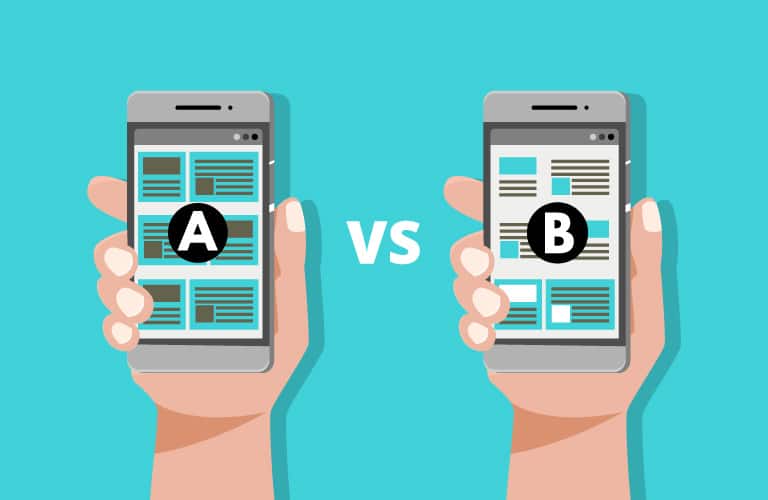
Compare the effectiveness and quality of experience between different user interfaces (including your existing site). Changing something as seemingly minor as one word could have a major impact on the effectiveness of your page.

3. Watch what users do.

Talk to existing and potential users to get some insights around creating effective designs. Sit with them and watch while they use your existing site.

Things you may have taken for granted (because you’re so familiar with the site) may be annoying or totally invisible to the user. Throw in some questions during the session, like “how does the site make you feel?”, “where did you get confused?” or “How would you go about making a purchase or asking for more information?”

“What is UX Design?

UX or User Experience Design is the process of designing with empathy for the user at the very heart of the process.”

4. Create user flow diagrams and site maps.

Create a flowchart showing how users should move through your site, then compare this against how they are moving through the site. There are a number of analytical tools available that can show you how users are engaging in your site in real time. Heatmaps, for example, show the areas of a page that are getting the most attention.

Be open to change. Welcome it! Embrace it! And act on it! The most effective sites are ones that make user experience a top priority.

Once you’ve buttoned down user flow, it’s time to build a sitemap. This shows a clearly organised hierarchy of all the pages and child pages within your site, and how a user will get from one page to another. It’s where you map out the user’s journey and see how many clicks it will take them to get to their destination/s.  A site map allows you to eliminate any bad ideas and take on good ones early on, and clearly shows you all the pages you will eventually need to design and write content for.

5. Create wireframes for each page.

A sitemap shows you how your site is going to work. Wireframes allow you to see exactly how each page will work.

These visual guides represent a skeletal framework of each page, showing where key messages, images and calls to action sit based on your user research.

6. Time to design.

Drawing on the user personas, our creative team will write content that has the right “tone of voice” and develop a look and feel for the site that will appeal to the user.

This will include using the right user interface (UI) elements, such as module tabs, breadcrumbs and slideshows. We’ll drill down to font sizes, colours, buttons and type layout to ensure your users will have a smooth experience across the entire site.

“Forge combine UX design principles with Design Thinking to create a homegrown UX design philosophy.”

Let’s work together on improving the User Experience of your website.

Thoroughly understanding who your users are and why they are on your site allows us to create a website that delights your customers, enhances your brand and meets your business goals.

Talk to us today about how our Homegrown UX Design process can help you better understand your customers and deliver a website that meets their needs.

Contact Form - Walking in skins and Homegrown UX Design
Subscribe to newsletter

What you need to know about changes in SEO

Some things change, some stay the same. It’s a line from a song, but it’s also very accurate for SEO. So in 2022, what’s changed and what’s stayed the same?
Let’s start with what’s stayed the same. Some fundamentals of on-page SEO are as true now as they were ten years ago.

Page relevance

To rank, your page needs to be relevant to the search. For example, when I search for “men’s US size 11 running shoes,” I expect to see pages about Men’s running shoes. If I add “NZ” to my search, I’d expect to see sites based in New Zealand with pages about men’s running shoes. On the other hand, I would not expect to see a page about the dietary requirements of the African elephant or a news article about the war in Ukraine. So how does Google determine page relevance? 

Page Title

First and foremost is still the page title. This is shown in the browser tab on the page and is usually the bold heading in Google’s search results (although they do occasionally ignore that now). The exact keywords in the page heading are less critical than before. Google has got a lot better at understanding two phrases that mean the same thing. However, the title’s meaning should be clear and relevant to the user’s search. Think of it as the answer to their question. If I search “Best hotels in Auckland.” Then a page with the title “Auckland’s 10 finest hotels” is just as relevant and way more enticing than a page simply titled “Best hotels in Auckland.” So, in short, your page title should be enticing and appear to be the result they are searching for. Not simply repeat the keywords they searched. It should also be an accurate description of your page content. If it’s not, you won’t rank for long. Google’s advice is to Create unique, accurate page titles that are brief but descriptive.

Meta Descriptions

In my opinion, meta descriptions are less important than ever before. Google frequently ignores them, selecting a snippet of text from the page more relevant to the user’s search than your carefully written meta description. However, if they are well written and accurately summarize the page’s content, they are more likely to be used.

URLs

Yes, URLs are important. It’s ideal if they contain the primary keyword you want the page to rank for. Or something that makes sense as the URL for the page the user is looking for. In our shoe example, something like site.com/mens/shoes/running is perfect. DO NOT stuff it full of keyword variations site.com/shoes-footwear/mens-men/sneakers-trainers-running-shoes is not ideal. For a blog post, it’ll usually be the blog title with the stop words removed. Ideally, not longer than needed. The URL should make sense to the user.  

Headings

Headings are essential, as is understanding heading hierarchy. It should be structured like an academic paper or document, with only ONE H1 heading for the page. Then, H2 headings for each new section. A section that is a subsection of an H2 should be an H3, a subsection of that would be an H4. This helps Google and users understand your content at a glance. You can use as many H2s, H3s, and beyond as you need for the information on the page. These headings should be descriptive and contribute to the overall relevance of the page. Use keywords in headings where appropriate, but don’t stuff them full of keywords for no reason. My rule of thumb. In headings that read ok with or without the keyword, opt to use the keyword. But if adding the keyword sounds stupid, just remove it.

Image Alts

Image alts exist for a reason. Write them like you’re explaining to a blind person what is in the picture. Yup, you guessed it, that’s what the image alt is actually for. Web browsers for the blind read the page content aloud. When they get to an image, they read the image alt. Remember to use your keyword in the image alt but in a natural way. If you have a website about ant pest control and a picture of a man spraying liquid around a window sill. You could describe that as “Man squirting liquid around a window” or as “pest control technician spraying for ants” One will make your page much more relevant to people searching for ant pest control. And I would argue it will give the blind person a better understanding of the picture they can’t see. Google also uses the image alt. Both for image search and to tell what the images on your page actually are. This contributes to the page’s relevance. Remember, inappropriate image alts can make your page less relevant. Therefore, if you have used the same image on multiple pages, consider adding more than one copy of it to your image library. That way, you can have a separate image alt for each, tailored to the page it appears on.

Videos

Adding videos that are on-topic for your keyword helps make your page more relevant for that keyword search. If the video is embedded from YouTube, Google will see the title, description, and possibly even the transcript, allowing them to tell if the video is relevant to the page or not. For example, if you have an online shop that sells sports strapping tape, adding a video to the page showing how to correctly strap your ankle will help make your page more relevant. If you add a video directly to your page with no title or description, google can’t tell what it’s about and will ignore it. It may help with engagement and time on the page, indirectly benefiting your rankings.

Anchor text

The Anchor text on referring pages gives google clues as to what your page is about. Google’s guidance for internal links between pages in your own site is to make them short but descriptive. A word, a couple of words, or a short sentence is ok. But don’t make an entire paragraph a hyperlink. The linking text should give the user (and google) a good indication of the content. You can’t really over optimise internal links. You can, however, over optimise external links. If you are doing link building at scale and all of the links you get are perfectly optimised, such as “pest control Auckland” that isn’t natural. Too much of it will become a liability, but you do need some well optimised external links. How much is a matter of some debate, but if your page has 1000 links and 900 of them contain the perfect keyword, you’ll find that’s not normal. It is usual for most of them to include your business name. For many small businesses, that’s one of the reasons it can be beneficial to have your main keyword in your business name.

Page Text

Obviously, what’s on your page is tremendously important. If you don’t have anything to say on a topic, it will be hard to rank for it. (There are exceptions to this – sometimes a home page can rank well with very little text). Many people worry about the magic length. Is it 300 words, is it 1000 words? The answer, of course, is that it’s not that simple. You should use the shortest number of words to tell visitors what they need to know. That might be thousands of words or 50. How people respond to it will determine what’s right. This is where we start to move into the areas like content quality and engagement. Well-written, engaging content that answers a question, informs, convinces, entertains, or otherwise meets the needs of people who land on the page will slowly but surely rise to the top. Remember, not all people who do the given search are looking for the same result, so there’s more than one way to rank.

Signals for Google

Engagement

How long do people stay on your page? How long is their session? Do they bounce? Or do they move to another page on your site? These things matter. It’s not uncommon to look in Google Search Console and see a website that usually ranks on page 7 suddenly on page 2 for a day. This is google testing the content. If the visitors to your page spend a long time on your site, or even just on that one page, Google will see it as a signal, your page was helpful to people who did that search. Over time this positive engagement can move you up in ranking far better than just focusing on page speed. 

Humour can help keep people on your page longer, or you can simply be shocking. If you’re a blogger and can say what you please, that’s great. But for most brands, increasing engagement will mean producing high-quality, interesting, helpful content that’s engaging to read or watch and pleasing to look at. This could mean adding helpful videos, reviews, instructions, or other valuable information that keeps people on your page longer. But keep the user in mind, and don’t make time-on-page your sole focus. 

Pruning your site

Many SEOs now recommend removing nonperforming pages from your site so that every page is a winner. But unfortunately, this isn’t always possible. You’ll need to check that you’re not removing a page with lots of backlinks, or essential (but tedious) information like terms and conditions. However, where you have boring underperforming landing pages with low time on page and high bounce rate, you should consider fixing them or removing them. 

Advanced SEO

For many businesses, you can stop reading right here. If you’ve got a great-looking site full of interesting, engaging content that people spend lots of time watching or reading. AND, you’ve done the basics like page titles and image alts, you may find you rank just fine. On the other hand, if you find yourself in an industry full of highly motivated, digitally savvy competitors, your interesting, engaging site may be one of many. Sometimes there’ll be 30 or more sites that have all done the basics well. In that case, you’ll need to do more. Much more. 

Tie Breakers

If everything else is equal, who should Google show first? Imagine ten websites competing for “divorce lawyer Auckland.” Each site has a well optimised landing page with a great video, text, titles, and a few photos with image alts. Visitors to each site spend 2 minutes reading the page before clicking the contact button. They are all working, and they are all equally fascinating. But, only one can rank first. Who will it be? That’s where tiebreakers come in. These are the things that determine which of the 10 great pages rank first. There are a lot of tiebreakers, and they are all important. BUT if you have not done the basics of having a relevant page that gets good engagement, do not waste your time and money on them until you have fixed the content.

Links

Links was once the ultimate tiebreaker. Now it’s just one of many. But it is still hugely important. Not all links are the same. You are looking for a followed text link in the main body copy; it should be from a reputable site, on a page relevant to the page it’s linking to. And ideally, the page shouldn’t link to too many other websites. 

Google’s advice is to never pay for a link. In a perfect world, your content would be so helpful and interesting that people and businesses all over the world will link to it of their own accord. And perhaps they will. But maybe you can encourage them. Talk to other companies you engage with and ask them to link. Are you an official reseller in your country for a product? Ask the manufacturer to link to you from their where to buy page. Are you a member of an industry organisation? Make sure they link to you from their member’s page. You get the point. There are lots of genuine reasons for people to link to you. 

Create a strategy and give people something to link to. We’ve had great success with simple things like an athlete sponsorship request page for a sporting goods retailer, which quickly gained links from schools and sports clubs all over New Zealand. Of course, you have to have the budget to sponsor people, but get creative, find relevant things in your niche, and be proactive. It will only happen if you make it happen (or we make it happen for you). This is all well within Google guidelines. In fact, it’s what they want you to do. And it works, but it’s easier for some businesses than others. Therefore, many companies will resort to using tactics well outside Google’s Webmaster Guidelines. Some of these work really well, but they come with risks to your ranking and your offline reputation. Anyone engaging in them should be fully informed of the risks and go into it with their eyes wide open. A good SEO will know the options and the potential risks of each. Bad link building will do more harm than good. 

Core Web Vitals

You will be well aware of Core Web Vitals if you’re into SEO. LCP, FID, and CLS have been the talk of the industry since 2020. 

LCP – Largest Contentful Paint

In laymen’s terms, this measures how long it takes to load the page. Google would like it to be under 2.5 seconds, and so would your users. 

FID – First Input Delay

This is how long it takes before you can interact with the page. Google would like it to be less than 100 milliseconds. 

CLS – Cumulative Layout Shift

This is basically a measure of how much your content shifts around while the page is loading. Ideally, not at all. 

Core Web Vitals is not the be-all and end-all of SEO. There are many examples of websites with horrible Core Web Vitals that rank first in very competitive categories. And long may it be so. Core Web Vitals should never be more important than great content. 

Core Web Vitals will always favour larger businesses over smaller ones and newer websites over older ones. It’s an arms race. Can you afford to rebuild your website? In many cases, that’s required. And there will often be a trade-off; it’s easy to make a simple site that’s super fast and passes all the core web vitals with flying colours. But you’d like the ability to easily edit pages and move things around. Now you’ve added a CMS (Content Management System) and a Page Builder. It can still be lightning-fast, but only if you choose a fast theme or custom build a theme. Selecting a fast theme will limit your design options, and creating a custom theme is a lot more costly. Headless websites are even quicker (and more expensive.) The entire front end is built in your developer’s favourite JS Framework. The back end is either custom-built or built using your favourite CMS. There’s more work at both ends than using a traditional CMS, making it much more expensive. There’s a clear trade-off between cost, design and functionality, and core web vitals. So, most businesses will have to make a commercial decision when deciding what to prioritise. In my experience, to design and build a bespoke website that aces the Google Core Web Vitals test will typically cost 3-5 x as much as one doesn’t. 

That doesn’t mean we shouldn’t all be trying. We all enjoy using websites that are lighting fast to load and react instantly. But until CMS and Theme developers catch up, only expensive custom websites or simple websites built with restrictions on both design and functionality will be able to meet them. As a result, most small and medium business owners will have to make some compromises. Remember, great content beats core web vitals every time and probably always will

Conscious Design

In the ever-evolving field of web development, conscious design stands out as a philosophy deeply rooted in ethical, environmental, and user-centric values. This approach transcends the traditional boundaries of web design by integrating considerations that touch upon the broader impacts of digital products.

At the heart of conscious design lies a commitment to understanding and catering to the diverse needs and limitations of users. This means creating web experiences that are not only visually appealing and functional but also universally accessible and intuitive. The focus is on designing interfaces that people of all abilities can navigate with ease, ensuring that the digital world is inclusive and accommodating.

Sustainability is another vital aspect of conscious design. In a world increasingly aware of environmental impacts, web designers are challenged to make choices that lessen their digital carbon footprint. This includes optimising website elements for energy efficiency, such as streamlined code and compressed images that reduce load times and, consequently, energy consumption. Selecting web hosting providers that use renewable energy sources or practice carbon offsetting can further amplify these efforts.

A core component of conscious design is also its ethical dimension, particularly in terms of data privacy and security. In an age where user data is a coveted commodity, prioritising the protection of user information through secure design and transparent data practices is more important than ever. This involves implementing robust security measures and being transparent about data collection and usage, thus fostering trust and a sense of safety among users.

As we delve deeper into each of these aspects, it becomes clear that conscious design is not just about making websites but about creating digital environments that respect and uplift users, contribute positively to the planet, and adhere to the highest ethical standards.

The concept of accessibility in conscious design demands more than just adherence to standards. It’s about designing with empathy, ensuring that websites offer a seamless experience for users with disabilities. This could mean implementing features like screen reader compatibility, keyboard navigation, and alternative text for images. The goal is to create a web space where everyone, regardless of their physical or cognitive abilities, can access information and services without hindrance.

Moving on to the psychological impact of web design, conscious design recognises the influence a website can have on a user’s mental state. It strives to create interfaces that are not only user-friendly but also mentally soothing. This includes considering aspects like colour schemes that evoke the right emotions, layouts that reduce cognitive load, and content that is easy to digest.

In the realm of ethical user interaction, conscious design addresses the growing concerns around user manipulation through design. Dark patterns and manipulative interfaces that trick users into making decisions against their best interests are eschewed in favour of transparent and honest design practices. This approach builds trust and fosters a healthier relationship between the user and the website.

Finally, conscious design is about future-proofing. It involves creating designs that are not only relevant today but also adaptable to the evolving technological landscape. This means building websites that are scalable, flexible, and can accommodate future advancements in technology.

In essence, conscious design in web development is a multifaceted and deeply thoughtful approach. It champions the idea that websites should not just serve their functional purpose, but also contribute positively to the user’s experience, society, and the environment. As digital spaces become increasingly integral to our lives, adopting conscious design practices becomes not just a choice, but a responsibility for developers and designers alike.

Contact Form - Email Marketing. Effective or outdated?
Subscribe to newsletter

Why Wordpress?

WordPress is flexible, powerful & fully featured.

In 2020 it’s the content management system of choice for over 37% of the world’s top million websites!

We build websites you can own

WordPress is an Open-Source Content Management System (CMS) that hundreds of thousands of web development companies large and small are using as a framework to build their websites on. It’s many native and add-on features come together to create a powerful tool that allows it to be used for a variety of needs including marketing, eCommerce, portfolios, or social networking. Overall, WordPress is the best web design choice for today’s company of any size.

WordPress Updates and Upgrades

As WordPress evolves and updates, you can get those updates applied to the site we built you too! There are literally thousands of highly skilled website development specialists working on WordPress and its plugin features, making it a feature-rich, high-performance system and a true world leader. Many local and smaller website systems use WordPress as their benchmark, sourcing ideas for their own web development programmes from features they see in WordPress.

Get a quote for a WordPress Website

Contact Form - Blog Posts
Subscribe to newsletter

Why use WordPress?

World’s most popular, globally supported content management system.

At Forge we believe you should own your website outright. This is why we build on the world’s most popular, globally supported and very easy to use open source website code for our web designs. The WordPress CMS also allows you to update and maintain your website from any location, anytime, without any prior programming knowledge. When planning your website, we select a CMS that matches your needs and goals, while still being fast, simple, and easy to use. Plus, because CMSs are web-based, so updates you make are applied instantly to your live website.

Don’t all WordPress website designs look the same?

In short: No. There are many thousands of layouts possible and an infinite number of colour, style and design combinations for your website design from Forge. You only get one chance to make a first impression, and your website design can influence how your company is perceived in the market. At Forge we understand the power of brands, we make sure your WordPress website design embodies the personality and image you want to portray, and leaves a lasting impression on your customers. The WordPress website designs we create are unique, customised and can be fully aligned with your overall design & marketing portfolio.

Who else uses WordPress?

WordPress is the single most popular website content management system in the world. As of August 2020 it is used by 27,021,750 live websites according to builtwith. It’s used by 37% of the world’s top one million websites, and is by far the most dominant open source CMS system available. Many companies worldwide are now using WordPress for their websites including Volkswagen, The New Yorker, BBC, Sony Playstation, Samsung, NY Times and many more. Don’t you think these brands would choose a powerful, effective, stable and highly supported CMS? They have. WordPress fits the bill perfectly. It’s also popular with many leading NZ businesses such as Escape Rentals, and Snowplanet.

Is WordPress Search Engine Friendly?

WordPress is extremely efficient for search engine optimisation (SEO) and with the addition of SEO plugins (which we include as standard) can become very powerful at gaining and keeping Google search engine ranking and compares favourably against many other systems on the market. Add SEO services to your WordPress website and you could have an advantage over your competitors right from the start. Forge will recommend additional SEO services for your site if relevant. WordPress also makes excellent use of social media compatibility.

Auckland, NZ based WordPress Developers

Local NZ developer.

Our team of WordPress developers are based in Kingsland, Auckland NZ. You can’t beat using a local NZ developer to build your website. Every day we meet with clients who are fed up with dealing with a developer who is based overseas. Aside from the frustrations of dealing with someone in another time zone who is not available when you want to talk it often ends up being more expensive than it first appears when you factor in all of your own time that is wasted from miscommunication due to language barriers and cultural differences in regard to the relative importance of aesthetics and functionality. We believe it is always better to work with a New Zealand based WordPress development company.

Why choose Forge?

We do the thinking. So you don’t have to!

We start every project by talking to you. About your business, challenges and dreams. Then we’ll think about how we can overcome your challenges and fulfil your needs by creating an effective creative solution that works for your business.

We have in-house design and development experts to make that happen. And if the solution requires resources or expertise that we do not have internally, we will partner with our trusted service providers to deliver the right solution for you.

We partner with the best.

We do not take your trust in us lightly. We aim to deliver the best hosting solutions that will suit your needs. That’s why we only work with the best in the field, who have been proven successful in many of our past projects.

Sitehost is a kiwi owned cloud solutions provider that has been growing rapidly since 2004.

WP Engine is recognised as the world’s number one platform for WordPress.

Our proven track record.

Our hard work and commitment to achieving the best solution in all of our projects have been acknowledged and we are very proud of it. Two of our projects were the finalists of Best Design Awards 2020 in the Small Scale Website category. Top Reviews has also acknowledged and put us among the Best Design Agencies in Auckland, as has Design Rush.

Best Design Awards is an annual showcase of excellence in graphic, spatial, product, digital and motion design along with three special awards – Value of Design, Public Good and Toitanga.

Top Reviews is a website that lists the best products and services in New Zealand.

See our profile on Good Firms.

Need a website that portrays what your brand is all about?